Are you a busy US gamer facing the frustrating reality that Roblox is slow? Many players, balancing work, family, and precious free time, find their Roblox experience marred by lag, low frame rates, and connectivity issues. This comprehensive guide is designed to provide practical, immediate, and long-term solutions to these common performance problems. We understand that your gaming sessions are valuable moments for relaxation and social connection, so we've distilled expert advice into actionable steps you can take today. From optimizing in-game settings to troubleshooting network woes and maintaining your device, discover how to eliminate the slowdowns that plague your gameplay. Say goodbye to choppy graphics and delayed responses, and hello to a smoother, more enjoyable Roblox adventure without needing a major hardware overhaul. Dive in to reclaim your fluid gaming experience and make the most of every minute you spend in the metaverse. This month, ensure your Roblox session is seamless.
Why is Roblox so slow to load experiences?
Roblox can be slow to load experiences due to several reasons, often related to your internet connection speed, the complexity of the specific game world, or insufficient RAM on your device. High ping, an overloaded network, or an experience packed with many detailed assets and scripts can all contribute to longer loading times. Ensuring your internet is stable and your device meets minimum requirements helps significantly.
How can I improve Roblox performance on an older laptop?
To boost Roblox performance on an older laptop, start by reducing in-game graphics quality to the lowest setting. Close all unnecessary background applications, clear your Roblox and browser cache, and ensure your graphics drivers are updated. Using an Ethernet cable instead of Wi-Fi can also provide a more stable connection, minimizing lag if Roblox is slow on your older machine.
Is a slow internet connection the main reason Roblox is lagging?
While a slow internet connection is a major contributor to Roblox lag, it's not always the sole reason. High ping and unstable Wi-Fi certainly make Roblox slow, but other factors like an outdated CPU, limited RAM, old graphics drivers, or excessive background programs on your device can also severely impact performance, even with good internet.
What are the best settings to stop Roblox from freezing?
To prevent Roblox from freezing, lower your in-game graphics quality setting to the lowest possible. Ensure your device has enough free RAM by closing all other applications before playing. Update your graphics drivers, clear Roblox's cache, and make sure your system meets the game's minimum requirements. Overheating can also cause freezes, so keep your device cool.
Does clearing Roblox cache actually help with lag?
Yes, clearing your Roblox cache can significantly help with lag and loading issues. Over time, Roblox accumulates temporary files that can become corrupted or excessive, slowing down the application. Removing these old files forces Roblox to fetch fresh data, often resulting in smoother gameplay and faster loading, especially if Roblox is slow due to accumulating data.
My Roblox game keeps crashing; what should I do?
If your Roblox game keeps crashing, first ensure your graphics drivers are up-to-date and your system meets the minimum requirements. Try lowering in-game graphics settings, closing all background applications, and clearing the Roblox cache. Overheating can also cause crashes, so check your device's temperature. If issues persist, a full reinstallation of Roblox might be necessary.
Why does Roblox run slower on my phone than my PC?
Roblox often runs slower on phones than PCs because mobile devices generally have less powerful CPUs and GPUs, and less RAM, compared to even mid-range computers. While mobile processors are efficient, they can struggle with complex Roblox experiences, especially if other apps are running in the background. Screen resolution and the specific phone model also play a role in mobile performance.
Hey fellow gamers! Ever settle down after a long day of work, ready to dive into some Roblox fun with friends or family, only to be met with frustrating lag, stuttering visuals, or endless loading screens? You are definitely not alone. For many of us who balance careers, family life, and a passion for gaming, those precious moments spent unwinding in the digital world are gold. When Roblox is slow, it doesn't just disrupt the game; it eats into that valuable leisure time and can turn relaxation into a headache. Recent US gaming stats show that 87% of gamers play regularly, often averaging 10+ hours a week, and a significant portion enjoy mobile gaming and social experiences like Roblox. We want our gaming to be seamless, not a test of patience.
You want to build, explore, and connect without constantly battling technical glitches. This guide is your no-nonsense, practical toolkit to get Roblox running smoothly again. We'll cut through the tech jargon and give you actionable steps to diagnose and fix why Roblox is slow on your PC, Mac, or mobile device. From tweaking settings to understanding your internet connection, we've got you covered. Let's make sure your next Roblox session is all about fun, not frustration.
Why is Roblox So Slow All of a Sudden?
When Roblox suddenly starts to crawl, it's usually due to a combination of factors rather than a single culprit. Often, it's an accumulation of background processes on your device, an unstable internet connection, outdated graphics drivers, or even specific experiences within Roblox that are highly demanding. Sometimes, Roblox itself might be experiencing server-side issues, though less common. For a typical gamer balancing life, it might be something as simple as too many browser tabs open or a forgotten software update. Pinpointing the exact cause is the first step to a smooth fix.
How Can I Check My Internet Speed and Optimize My Connection for Roblox?
A sluggish internet connection is a prime suspect when Roblox is slow. To check your speed, open a web browser and search for "internet speed test." Websites like Speedtest.net or Google's own speed test can quickly show your download, upload, and ping (latency) numbers. For Roblox, a low ping (under 50ms) and decent download speed (at least 10-20 Mbps) are ideal. If your speed is low:
- Restart your router and modem. This often clears minor network glitches.
- Use an Ethernet cable instead of Wi-Fi for your PC if possible. Wired connections are more stable and faster.
- Reduce network congestion by asking others on your network to pause bandwidth-intensive activities like streaming 4K video or large downloads.
- Ensure your Wi-Fi router is centrally located and not obstructed by walls or other electronics.
What Are the Best In-Game Settings to Reduce Lag in Roblox?
Optimizing in-game settings is one of the quickest ways to improve performance if Roblox is slow. Roblox offers several graphical options that can significantly impact your frame rate. Lowering these settings tells your device to work less, resulting in smoother gameplay. Here's what to adjust:
- Graphics Mode: Set this to "Manual" instead of "Automatic."
- Graphics Quality: This is the most crucial setting. Drag the slider down from the highest setting. Start by lowering it a couple of notches and test performance. For older devices, you might need to go to the lowest possible setting.
- Full-Screen Mode: Playing in full-screen can sometimes offer better performance than windowed mode as your system dedicates more resources to the game.
- Disable Dynamic Shadows and Texture Effects: If available in specific experiences, turning these off can also provide a boost.
Remember, the goal is a balance between visual quality and smooth performance. Most busy gamers prioritize a lag-free experience over ultra-high fidelity graphics.
How Do I Clear My Roblox Cache and Temporary Files?
Over time, Roblox, like any application, accumulates temporary files and cache data. While these files are meant to speed things up, a corrupted or overloaded cache can actually make Roblox slow. Clearing it out is a safe and often effective troubleshooting step:
- For PC (Windows):
- Press the Windows Key + R to open the Run dialog.
- Type "%temp%" and press Enter. This opens your temporary files folder.
- Select all files (Ctrl + A) and press Delete. Skip any files that cannot be deleted as they are in use.
- Then, go to C:\Users\YOUR_USERNAME\AppData\Local\Roblox and delete the "logs" and "Downloads" folders if they exist.
- For Mac:
- Open Finder.
- Go to "Go" > "Go to Folder" (or Shift + Command + G).
- Type "~/Library/Caches" and press Enter.
- Find and delete any folders related to Roblox.
- For Mobile (iOS/Android):
- Go to your device's Settings.
- Find "Apps" or "Applications" and locate Roblox.
- Tap on "Storage" and then select "Clear Cache." Avoid "Clear Data" as this will log you out and potentially delete downloaded content.
Can My Device Hardware Be Causing Roblox to Run Slowly?
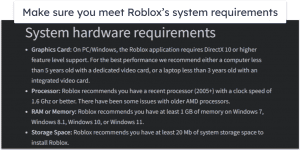
Absolutely. While Roblox is generally not as hardware-intensive as AAA titles, an older CPU, limited RAM, or an integrated graphics chip can struggle, especially with complex experiences. Many gamers use older laptops or mobile devices, and if your hardware hasn't been upgraded in several years, it might be the bottleneck making Roblox slow. Check your device's specifications against Roblox's minimum system requirements. For busy gamers on a budget, consider minor upgrades like adding more RAM (if your device supports it) or ensuring your hard drive isn't completely full, which can slow down overall system performance. A solid-state drive (SSD) can also significantly speed up loading times.
Are There Background Apps Affecting My Roblox Performance?
Yes, numerous background applications can consume valuable CPU, RAM, and network resources, leaving less for Roblox. This is a common issue for multitaskers who keep many programs open. Before launching Roblox:
- Close unnecessary web browser tabs (especially those with active media or many extensions).
- Exit other programs like Discord, Spotify, video editing software, or other game launchers.
- Open Task Manager (Ctrl + Shift + Esc on Windows) or Activity Monitor (Command + Space, type "Activity Monitor" on Mac) to identify and close any resource-hungry processes you don't need.
- Disable automatic updates for other software or your operating system while gaming.
For US gamers who average 10+ hours a week, optimizing these background processes can reclaim significant performance.
What About My Graphics Drivers? Do They Impact Roblox Speed?
Graphics drivers are critical software components that allow your operating system to communicate with your graphics card. Outdated or corrupted drivers can lead to poor performance, visual glitches, or even prevent games from launching. If Roblox is slow, especially with visual stuttering, updating your graphics drivers is a crucial step:
- NVIDIA: Use GeForce Experience.
- AMD: Use AMD Radeon Software Adrenalin Edition.
- Intel: Download drivers directly from Intel's support website.
Always download drivers directly from the manufacturer's official website to ensure compatibility and avoid malware. Regularly checking for updates, perhaps once a month, is a good habit for any PC gamer.
Is There a Specific Time of Day Roblox is Slower?
While not a hard and fast rule, Roblox, like any online service, can experience peak usage times. These are typically during after-school hours and evenings in the US, and especially on weekends. During these periods, Roblox servers handle a massive influx of players, which can sometimes lead to increased latency or slower loading times, even if your personal internet connection is fine. This month, with more people at home, peak hours might be more pronounced. There's not much you can do about Roblox server load, but understanding it helps contextualize performance issues. If you consistently find Roblox slow during certain hours, try playing during off-peak times if your schedule allows.
What if Roblox Server Issues are the Problem?
Sometimes, the problem isn't on your end. Roblox, like any massive online platform, can experience server-side issues, outages, or maintenance. These can manifest as extreme lag, inability to join games, or games failing to load entirely. You can check the official Roblox Status page or third-party sites like DownDetector to see if others are reporting issues. If it's a server-wide problem, the only solution is to wait for Roblox to resolve it. In the meantime, maybe explore some cozy single-player indie games, a popular trend this month for gamers needing a break from competitive online play.
Are VPNs or Ad-Blockers Making Roblox Slower?
Potentially, yes. While VPNs offer privacy and security, they route your internet traffic through an additional server, which can introduce latency and reduce overall speed. If you're using a VPN and Roblox is slow, try disabling it temporarily to see if performance improves. Similarly, aggressive ad-blockers can sometimes interfere with web-based games or game launchers, occasionally causing slowdowns or loading issues. While essential for a clean browsing experience, if you suspect your ad-blocker is causing problems with Roblox, try whitelisting the Roblox website or disabling the ad-blocker for that specific site.
How Can I Keep My PC or Mobile Device Optimized for Gaming Beyond Roblox?
Maintaining a clean and optimized device benefits all your gaming, not just Roblox. For gamers who enjoy a variety of titles and balance this with life, system health is key:
- Regular Restarts: Restart your device daily to clear RAM and refresh system processes.
- Disk Cleanup/Storage Management: Periodically delete old files, uninstall unused programs, and run disk cleanup tools.
- Antivirus Scans: Ensure your device is free of malware, which can consume resources.
- Software Updates: Keep your operating system and all drivers updated.
- Physical Cleaning: For PCs, clean dust from fans and vents to prevent overheating, which can throttle performance.
These simple habits will ensure your gaming rig or mobile device is always ready for action, maximizing your fun in limited gaming windows.
What are some budget-friendly upgrades to consider for better Roblox performance?
For many gamers, a full system overhaul isn't practical. However, a few budget-friendly upgrades can make a noticeable difference if Roblox is slow. Increasing your RAM, especially if you have 8GB or less, can significantly improve multitasking and game performance. Switching from an older Hard Disk Drive (HDD) to a Solid State Drive (SSD) will drastically reduce loading times for your operating system and games like Roblox. You don't need the latest high-end SSD; even a budget SATA SSD offers a massive speed boost over an HDD. Lastly, if your current internet plan is very basic, upgrading to a slightly faster tier with your ISP can provide better stability and speed for online gaming, which is a key component of modern social gaming trends and cross-play experiences.
You've put in the time and effort to ensure your Roblox experience is as smooth as possible. We've tackled everything from internet woes and in-game settings to device maintenance and potential hardware bottlenecks. Remember, a little proactive troubleshooting can go a long way in preserving your precious gaming moments and ensuring Roblox runs optimally, allowing you to fully enjoy the social, creative, and fun aspects that millions of US gamers cherish. Don't let a slow Roblox hold you back from connecting with friends or exploring new worlds.
What's your biggest gaming challenge beyond performance? Comment below and let us know how you balance gaming with life!
FAQ Section
Is Roblox resource-intensive?
Roblox can be moderately resource-intensive depending on the specific experience. While the core client is light, complex games with high graphics, many players, or intricate scripts can strain older CPUs, limited RAM, and integrated graphics cards, leading to a "roblox is slow" feeling.
Does a faster internet connection always fix Roblox lag?
A faster internet connection helps, but it doesn't guarantee a lag-free experience. While good bandwidth reduces connection-related issues, lag can also stem from your device's hardware, graphics settings, background applications, or even Roblox server issues. It addresses one key variable, but not all.
Can reinstalling Roblox help if it's slow?
Yes, reinstalling Roblox can often resolve persistent performance problems. It ensures you have a fresh, uncorrupted installation of the client, removing any potentially broken files or outdated configurations that might be causing Roblox to run slowly. Always try clearing the cache first.
How often should I clear Roblox cache?
For optimal performance, clearing your Roblox cache every few weeks or whenever you notice significant slowdowns is a good practice. This prevents old, potentially corrupted files from accumulating and impacting your game's speed and stability, making sure Roblox is not slow due to old data.
Are there Roblox performance tools I can use?
Roblox itself doesn't offer extensive built-in performance tools, but you can use your operating system's Task Manager (Windows) or Activity Monitor (Mac) to monitor CPU, RAM, and network usage while playing. Third-party tools like MSI Afterburner (for PC) can also monitor FPS and hardware utilization if you have a dedicated GPU.
Does Roblox support 60 FPS on all devices?
Achieving 60 frames per second (FPS) in Roblox largely depends on your device's capabilities and the specific experience you're playing. While many modern PCs and high-end mobile devices can comfortably run Roblox at 60 FPS or higher, older hardware or very graphically demanding games might limit you to lower frame rates. Tweaking in-game settings is key.
Identify common causes of Roblox slowdowns, optimize in-game and device settings for better FPS, troubleshoot network issues to reduce lag, clear cache and temporary files for performance, understand hardware impact and budget upgrades, and apply general device maintenance tips.
35



Is Roblox Getting Shut Down In 2026 The Real Truth Behind All Those Is Roblox Getting Shut Down In 2026 1024x683 . How To Walk SLOWLY On Roblox 2026 Walk SLOW In Roblox On PC . How To Update Roblox In 2026 Fix Error Code 280 On PC Mobile Xbox Roblox Update It.webp. I Couldn T Slow Down Roblox 2026 YouTube Oar2 . How To Walk Slow In Roblox On PC 2026 FULL GUIDE YouTube



How To Walk Slow On Roblox PC Without Controller 2026 YouTube . HOW TO WALK SLOW IN ROBLOX PC 2026 FULL GUIDE YouTube . HOW TO WALK SLOW IN ROBLOX PC 2026 BEST METHOD YouTube . How To Fix Roblox Lag In 2026 14 Solutions That Work How To Fix Roblox Lag 7 600x335 . How To Add People Roblox Easily Your 2026 Guide



Want To Walk Slower In Roblox PC How Can You Do It . How To Fix Roblox Lag In 2026 14 Solutions That Work How To Fix Roblox Lag 9 300x150 . Choso Flipping Experience Roblox February 2026 Code List Fixes If Choso Flipping Experience Roblox Daftar Kode Februari 2026 Solusi Kalau Gagal B3f1ef3d7a . Who Is Mgigi203 On Roblox And What Are They Doing In 2026 . Roblox New 2026 Logo Roblox Reels Humbled Gamer Facebook Media



Roblox Unveils AI Visuals As Safety Changes Slow Growth Th. A Mother Or Father S Information To Utilizing Roblox In 2026 Ivugangingo 2026 Parental Guide For Roblox Usage UnicMinds . Roblox In 2026 Play On Roblox NoFilter. Roblox Cuts 2026 Guidance As Safety Changes Slow Growth Th. Exploring Meaxico Roblox Fun What Awaits You In 2026 Oar2




Daftar Game Roblox Paling Seru Di 2026 Yang Bikin Ketagihan Dijamin Daftar Game Roblox Paling Seru Di 2026 Yang Bikin Daftar Game Roblox Paling Seru Di 2026 Yang Bikin. Want To Walk Slower In Roblox PC How Can You Do It . Want To Walk Slower In Roblox PC How Can You Do It . 15 Game Roblox Horror Terbaik 2026 15 Game Roblox Horror Terbaik 2026 Paling Seram And Bikin Deg Degan 7f944699ce . How To Walk Slow In Roblox On PC 2024 TRICK YouTube





Exploring Roblox Games For 2026 What Makes Them Popular Best Roblox Games Natural Distaster Survival . Prepare For 2026 With Roblox Trends TikTok Img. How To Make A Roblox Game With AI Complete 2026 Guide Image. Want To Downoald Roblox In 2026 A Complete Guide Awaits 1200x1769 . Game Roblox Terbaik Untuk Mabar Rekomendasi Seru 2026 SuperNews Game Roblox Terbaik Untuk Mabar Rekomendasi Seru 2026


Upcoming Latest Roblox Games 2025 2026 Guide Upcoming Roblox Games And Features To Expect In 2026.webp. How To Walk Slow In Roblox On PC Tutorial YouTube . Rok 2026 W Roblox Czekamy Na Niesamowite Przygody TikTok Img. Want To Walk Slower In Roblox PC How Can You Do It . How To Fix Roblox Lag In 2026 14 Solutions That Work How To Fix Roblox Lag 4 800x450