Navigating the computer components sale landscape in 2026 can be daunting for even the most seasoned gamer. This comprehensive guide helps you identify the best deals on PC parts, ensuring you get maximum performance without overspending. For gamers balancing jobs and families, optimizing every dollar spent on hardware upgrades is crucial. Discover how to upgrade your rig efficiently, from finding discounted GPUs and CPUs to selecting cost-effective RAM and SSDs. We cover essential strategies for identifying genuine bargains, avoiding common pitfalls, and ensuring compatibility. Learn about current market trends, where to find reliable sales, and how to future-proof your gaming setup on a budget. This resource is packed with practical tips and informational insights to empower your next upgrade during a computer components sale, helping you stay current with 2026 gaming demands.
Related games- How to Master Alexnewtron Roblox Toy Collecting
- How to Play Roblox for Free in 2024 Your Complete Guide
- Loudplay Cloud Gaming Free A Guide For Gamers
- How to Build the Ultimate Gaming Desk Setup for 2026 Success
- How to Master Roblox Flee Best Escape Strategies
How do I know if a computer component sale is truly a good deal?
Look beyond the percentage off. Research the component's historical pricing using tools like PCPartPicker or CamelCamelCamel. Compare the sale price against its average cost over the last few months, not just the MSRP. Also, check reviews and benchmarks to ensure the component still offers strong performance for its price point today. A 'good deal' means getting solid value for your money, not just a big discount on outdated tech.
What are the telltale signs of a scam or poor-quality deal during a computer components sale?
Beware of prices that seem too good to be true, especially from unknown or newly created online stores. Check seller reviews and ratings meticulously. Look for vague product descriptions, lack of warranty information, or extremely long shipping times. If a reputable retailer has a significantly higher price for the same item, it is a red flag. Always verify the component's authenticity and specifications before purchase.
When is the best time to upgrade my CPU during a computer components sale?
The best time to upgrade your CPU during a computer components sale is typically when a new generation of processors is released, causing previous generations to drop in price. Also, major sales events like Black Friday or Prime Day are opportune. Consider upgrading if your current CPU is consistently hitting 100% utilization in games while your GPU is underutilized, indicating a bottleneck.
How can I maximize my budget during a computer components sale for a full PC build?
To maximize your budget, prioritize the GPU and CPU as they impact gaming performance most. Allocate about 40-50 percent of your budget to the GPU, 20-25 percent to the CPU, and then distribute the rest among RAM, motherboard, SSD, PSU, and case. Look for bundle deals that combine a CPU and motherboard, or RAM with a storage drive. Do not overspend on aesthetic features if performance is your main goal.
Should I buy a last-generation GPU or wait for current-gen during a computer components sale?
Whether to buy a last-generation GPU or wait depends on your budget and performance needs. Last-gen GPUs on sale can offer incredible price-to-performance value, especially if you are gaming at 1080p or 1440p. Current-gen cards provide better future-proofing and often superior performance at higher resolutions or with ray tracing. If the performance leap is significant and affordable, wait for current-gen sales; otherwise, a solid last-gen deal is often a smart buy for value-conscious gamers.
What are common mistakes to avoid when assembling new computer components purchased on sale?
Common mistakes include not checking component compatibility before buying, rushing the build process, forgetting to install standoffs for the motherboard, improperly applying thermal paste to the CPU, or not connecting all power cables (especially the CPU and GPU power). Always consult your motherboard and component manuals, watch instructional videos, and take your time to avoid damage or setup issues. Proper cable management also helps with airflow and aesthetics.
How do I dispose of my old computer components safely after upgrading during a sale?
Proper disposal of old computer components is important for environmental reasons and data security. First, securely wipe any personal data from hard drives or SSDs. Many electronics retailers offer recycling programs for old hardware. Check with your local waste management services for electronic waste (e-waste) drop-off points or special collection events. Alternatively, consider selling still-functional components on marketplaces to recoup some costs and give them a second life.
Tired of lagging frames and outdated gear? Balancing work, family, and a thriving gaming life means every moment counts, and so does every dollar spent on your rig. The hunt for the perfect upgrade on a budget is real, especially when you are trying to keep up with the latest titles without breaking the bank. This month, the computer components sale landscape is buzzing with opportunities, but knowing where to look and what to prioritize can feel like a labyrinth.
As gamers with an average age of around 36, many of us are part of the 87 percent of US gamers who regularly enjoy over 10 hours of gaming each week. We value relaxation, fun, and skill-building, but also smart investments. With trends like mobile gaming dominance and social play via Discord on the rise, having a capable PC that can handle both solo adventures and group sessions is key. This article is your friendly guide to navigating the 2026 computer components sale, helping you make informed decisions, optimize your performance, and score incredible value without succumbing to hype. We will address common pain points, from setup issues to balancing gaming with life, ensuring your next upgrade is smooth and rewarding.
How can I find the best computer components sale deals right now?
Finding the absolute best computer components sale deals requires a proactive approach. Start by monitoring major online retailers like Amazon, Newegg, Best Buy, and Micro Center regularly. Sign up for their newsletters and enable deal alerts for specific components you are eyeing. Price tracking websites such as PCPartPicker and CamelCamelCamel are invaluable; they show you historical pricing data, helping you determine if a 'sale' price is genuinely good or just a marketing trick. Remember, patience often pays off, as prices fluctuate frequently.
What computer components should I prioritize upgrading during a sale for gaming?
For most gamers looking to boost performance, the Graphics Processing Unit (GPU) is typically the number one priority during a computer components sale. A new GPU often delivers the most significant frame rate increase and visual fidelity improvements. After that, focus on your Central Processing Unit (CPU) if it is significantly bottlenecking your system. RAM upgrades (aim for 16GB or 32GB of fast DDR4 or DDR5) and a faster Solid State Drive (SSD), especially an NVMe one, come next. These components directly impact game loading times and overall system responsiveness, making them excellent targets for sale acquisitions.
When is the best time to buy PC parts on a computer components sale?
Historically, the best times for computer components sale events are around major holidays and seasonal sales. Think Black Friday and Cyber Monday (late November), Prime Day (mid-summer), and post-holiday clearances (January). Additionally, keep an eye out for back-to-school sales (August) and manufacturer-specific promotions throughout the year. New product launches can also trigger sales on older generations of components, offering fantastic value. Staying informed about the tech release cycle will give you an edge in timing your purchases.
Are refurbished computer components worth buying during a sale?
Refurbished computer components can absolutely be worth it during a computer components sale, especially if you are on a tight budget. They offer significant savings, often 20-50 percent off new prices. However, purchase only from reputable vendors who offer a clear warranty (at least 90 days, preferably longer) and have a strong return policy. Look for 'manufacturer refurbished' items, as these typically undergo more rigorous testing. While the risk is slightly higher, the potential for great value on high-performance parts is undeniable for savvy shoppers.
How do I ensure compatibility when buying components during a computer components sale?
Ensuring compatibility is critical to avoid setup issues. Before you buy anything during a computer components sale, use a tool like PCPartPicker.com to build a virtual system. This website automatically checks for compatibility issues between your selected CPU, motherboard, RAM, GPU, power supply, and case. Pay close attention to socket types (e.g., LGA1700 for Intel, AM5 for AMD), RAM generation (DDR4 vs. DDR5), power supply wattage, and physical dimensions, especially for GPUs and CPU coolers within your case. A little research upfront saves a lot of headaches later.
What are the common pitfalls to avoid during a computer components sale?
One major pitfall is impulsive buying based solely on a large discount percentage. Always verify the actual value. Another is buying outdated technology; a deeply discounted item is not a deal if it cannot run modern games. Be wary of unverified sellers on marketplaces, as counterfeit or faulty components can be an issue. Finally, do not forget about shipping costs and return policies. Some 'deals' can become less attractive once these factors are considered. Always read the fine print before clicking 'buy.' Gamers balancing life need efficient, reliable purchases.
Which brands offer reliable components during sales that gamers can trust?
When shopping for a computer components sale, sticking with established brands is a safe bet for reliability and performance. For GPUs, NVIDIA (GeForce) and AMD (Radeon) are the primary chip manufacturers, with board partners like ASUS, MSI, Gigabyte, and EVGA. For CPUs, Intel and AMD dominate. Reliable RAM brands include Corsair, G.Skill, Crucial, and Kingston. For SSDs, Samsung, Western Digital, Crucial, and SK Hynix are top contenders. Power supplies from Seasonic, Corsair, EVGA, and Cooler Master are generally well-regarded. These brands consistently deliver quality products and often participate in major sales events.
How can I balance gaming upgrades with a budget and family commitments?
Balancing gaming upgrades with life responsibilities requires strategic planning. Instead of aiming for an entire system overhaul, focus on incremental upgrades during a computer components sale. Prioritize the component that will give you the most noticeable performance boost for your current gaming habits. Set a strict budget and stick to it, perhaps even saving up specifically for a targeted upgrade. Involve your family in the decision-making if it impacts shared finances. Many gamers find success by selling older components to offset the cost of new ones. Remember, gaming is a valuable relaxation tool, but responsible spending ensures it remains an enjoyable hobby.
What are some recent trends in computer components that gamers should watch for in 2026?
In 2026, several trends are shaping the computer components sale market. AI integration in GPUs is becoming more prevalent, enhancing features like upscaling and ray tracing. PCIe 5.0 and DDR5 RAM are becoming standard, offering faster data transfer speeds, which is great for future-proofing. Energy efficiency is also a growing focus, with new components offering more performance per watt, crucial for managing utility bills. Furthermore, the rise of social gaming and cross-platform play means components that offer robust connectivity and seamless multitasking are increasingly valued. Keep an eye on sales for these cutting-edge technologies.
How do I get the most out of my current setup while waiting for a computer components sale?
While you wait for the perfect computer components sale, there are several ways to maximize your current setup. Ensure your drivers (especially GPU drivers) are always up to date. Optimize your game settings for performance over visual fidelity where necessary. Keep your system clean, both physically (dusting out fans) and digitally (uninstalling unused programs, defragmenting HDDs, optimizing SSDs). Overclocking your CPU or GPU cautiously can also yield modest performance gains. These steps can often extend the life and enjoyment of your existing hardware until an irresistible deal comes along.
Conclusion
Navigating the computer components sale of 2026 does not have to be a daunting task. By arming yourself with knowledge about pricing trends, prioritizing key components, understanding compatibility, and sticking to reputable brands, you can significantly enhance your gaming experience without breaking the bank. Remember, smart shopping means getting genuine value, not just a flashy discount. Your upgraded rig will allow you to better enjoy those crucial hours of relaxation, skill-building, and social play that gaming brings.
What is your biggest gaming challenge when it comes to upgrading your PC? Comment below!
FAQ Section
What is the average lifespan of a gaming PC component?
The average lifespan of a gaming PC component can range from 3 to 5 years before it struggles with new titles. GPUs and CPUs often last longer, but performance gains from newer generations typically encourage upgrades sooner. Hard drives and power supplies can last 5-10 years, while SSDs are rated for many terabytes written (TBW) and usually outlast mechanical drives.
Is a CPU or GPU upgrade more important for gaming?
Generally, a GPU upgrade is more important for gaming as it directly handles rendering graphics and significantly impacts frame rates. A CPU upgrade is crucial if your current processor is bottlenecking your GPU or if you engage in CPU-intensive tasks like streaming or video editing.
How much RAM is enough for modern gaming in 2026?
For modern gaming in 2026, 16GB of RAM is considered the minimum standard, providing a smooth experience for most titles. However, 32GB is increasingly becoming the recommended amount for high-end gaming, especially if you multitask, stream, or play memory-intensive simulation games.
Can I mix different brands of RAM?
Yes, you can mix different brands of RAM, but it is generally not recommended. For optimal performance and stability, it is best to use RAM kits with identical specifications (speed, timings, voltage) and ideally from the same manufacturer and model. Mixing can lead to compatibility issues or reduced performance, running at the slowest common speed.
What is a power supply unit (PSU) and why is it important for a gaming PC?
A Power Supply Unit (PSU) converts AC power from your wall outlet into DC power that your computer components can use. It is critical because it provides stable and sufficient power to all parts of your PC. An underpowered or unreliable PSU can cause system instability, crashes, and even damage components, making its selection vital for a gaming PC.
Is it better to buy a pre-built gaming PC or build one from components on sale?
Building a gaming PC from components on sale often provides better value for money, allowing for greater customization and component choice. However, it requires more technical knowledge and time. Pre-built PCs offer convenience and usually come with a warranty for the entire system, though they can be more expensive for similar specifications.
Finding best computer components sale deals, Budget gaming PC upgrades, Performance optimization with sale items, Latest tech discounts, Future-proofing your rig, Smart buying tips for PC parts, Avoiding common sale pitfalls, Understanding component compatibility, Where to find reputable sales, Maximizing value for money.
35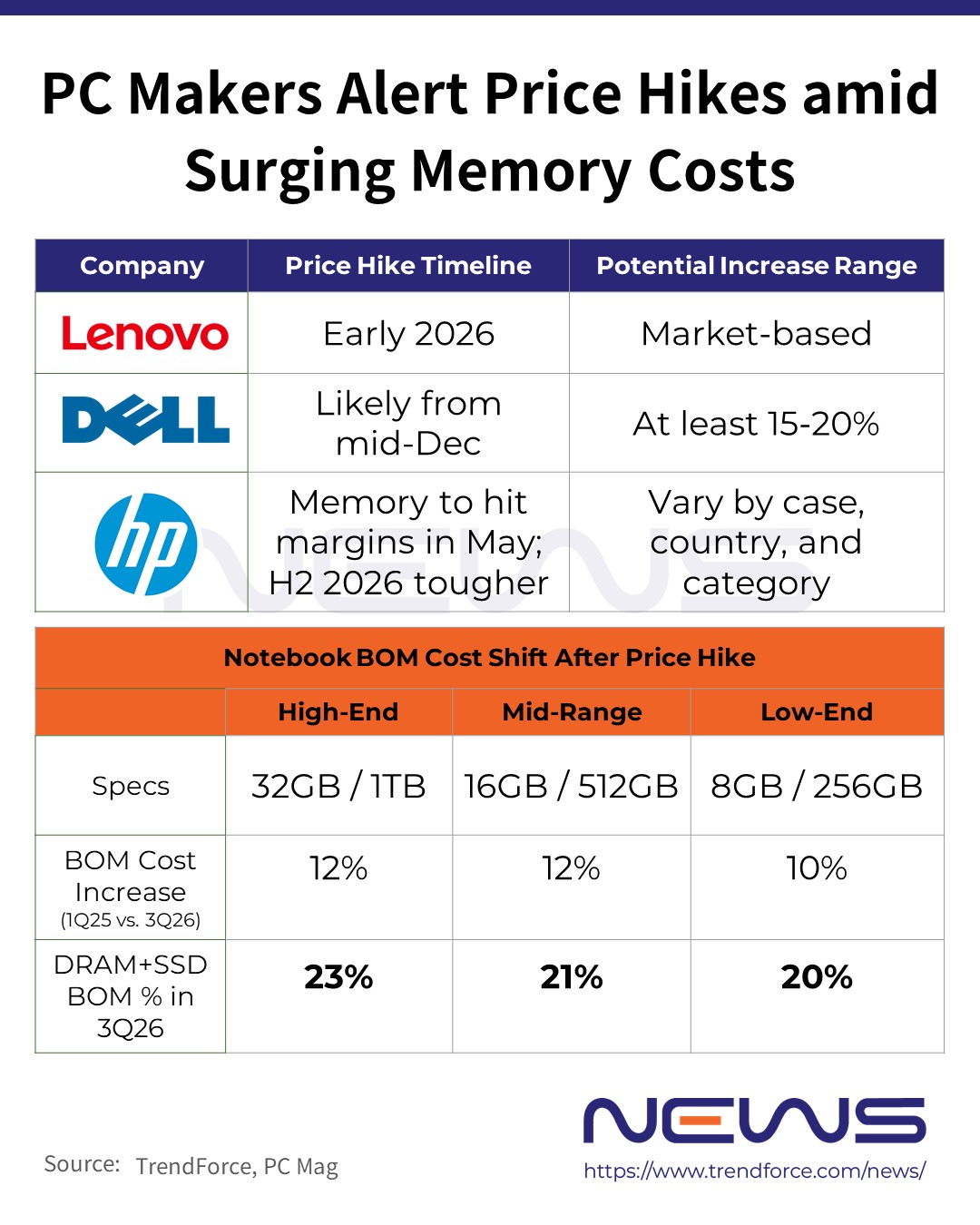




Exclusive Memory Crunch Hits PCs Dell Hikes Prices 15 20 Mid PC??BOM?? V3 . The Best Presidents Day 2026 Gaming PC Laptops And Component Deals 1200 80 . Bons Plans Soldes 2026 MSI Asus Et Samsung Chez Cybertek Cover Blog Cybertek Soldes Marques 2026 . Market Insight The Silent Behind The 2026 Computer PC Components 1 1024x570 . Soldes PC Hardware 2026 LES BONS PLANS Ne Pas Rater YouTube




Laptop Starting 6900 Only Biggest New Year Sale 2026 Cheapest . Lenovo Sales 2026 Full Sale Calendar Discounts Buying Guide ChatGPT Image Jan 31, 2026, 10 21 33 AM 1769836002 . Tech Market Downfall 2026 PC Components Prices . Computer Parts Sale Template Computer Parts Sale Design Template Screen . 6 Best Desktop Computers 2026 YouTube

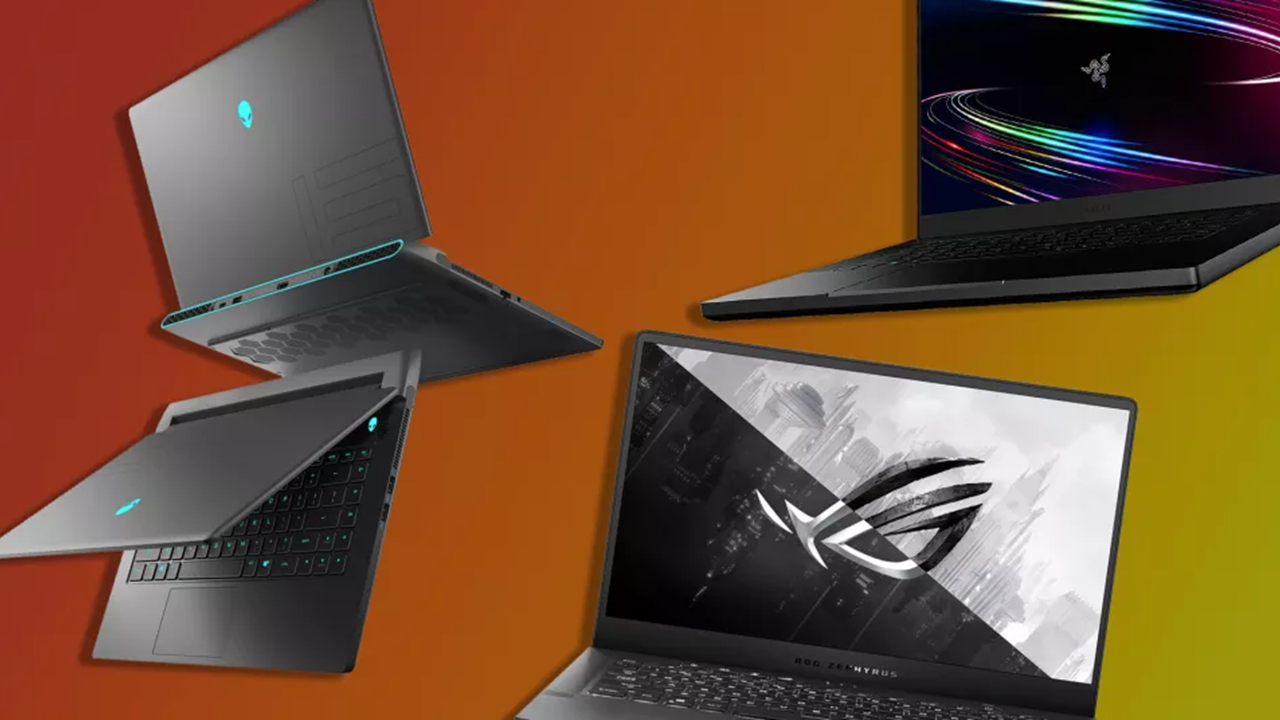


Laptop Buying Guide 2026 Top Features And Trends Geeky Gadgets Laptop 1024x576 . PC Prices Expected To Jump By Up To 8 In 2026 Notes Report TechPowerUp . Best Tech And PC Hardware Deals 2026 Deals On GPUs CPUs SSDs And . When Is The Best Time To Buy Computer Parts Simple Guide When Do Computer Parts Go On Sale . Affordable Gaming PC Components List Modern Gamer Affordable Gaming Pc Parts


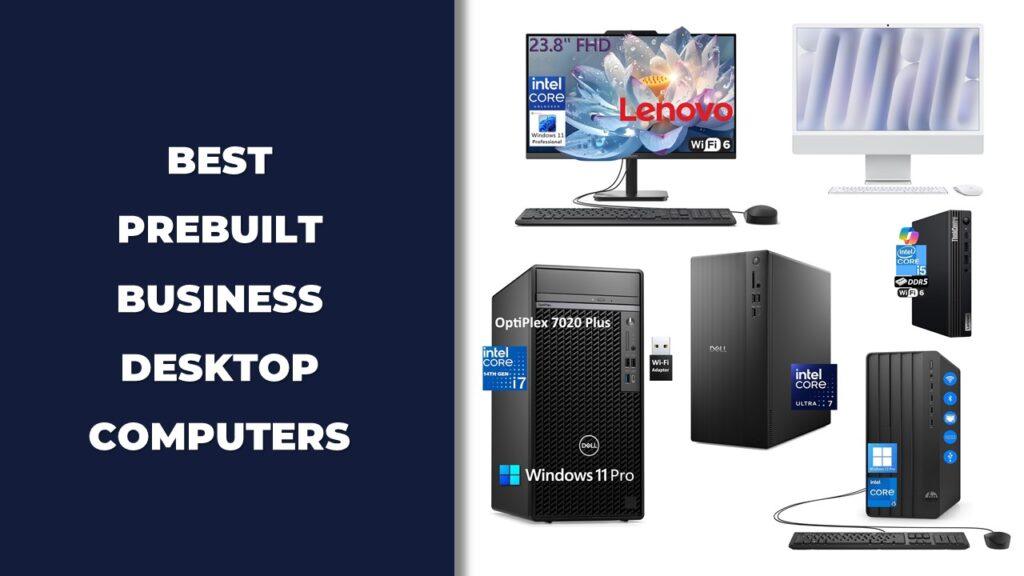
The Best Desktops And PC Components Of CES 2025 PCMag 6.fit . Top 10 Best Desktop Computers 2026 For Home Office And Work Lenovo Legion Tower 7i 2026 High Performance Desktop Computer With RGB Lighting Featured In. The Top Desktop PC Brands For 2026 According To Thousands Of Our 1.fit Lim.size . The 15 Best Gaming PC In 2026 Tested Reviewed Com Best Business Desktop Computers . Top 10 Best Desktop Computers 2026 For Home Office And Work Lenovo Legion Tower 5i 2026 Budget Desktop Computer For Home Office Among Best Desktop
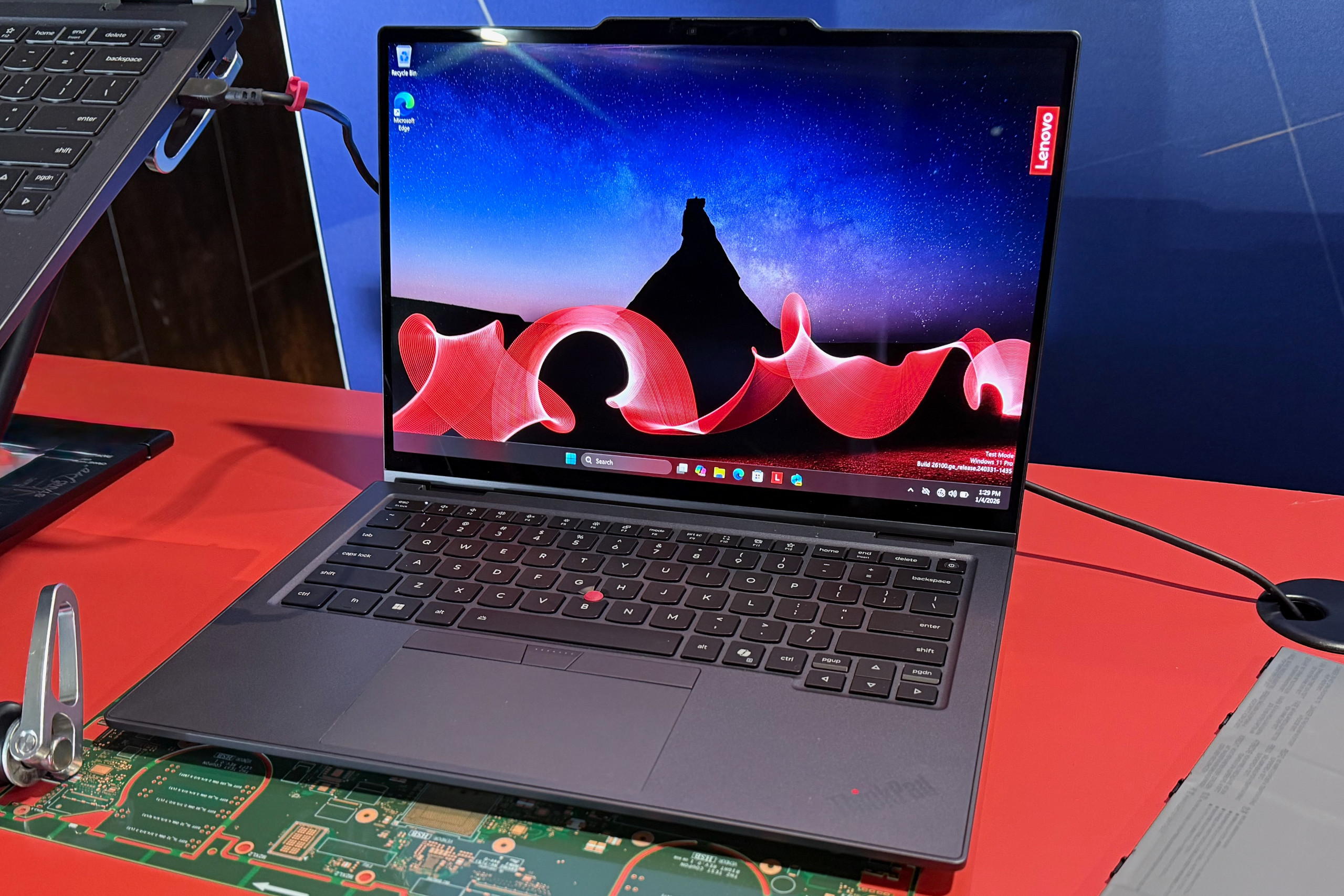


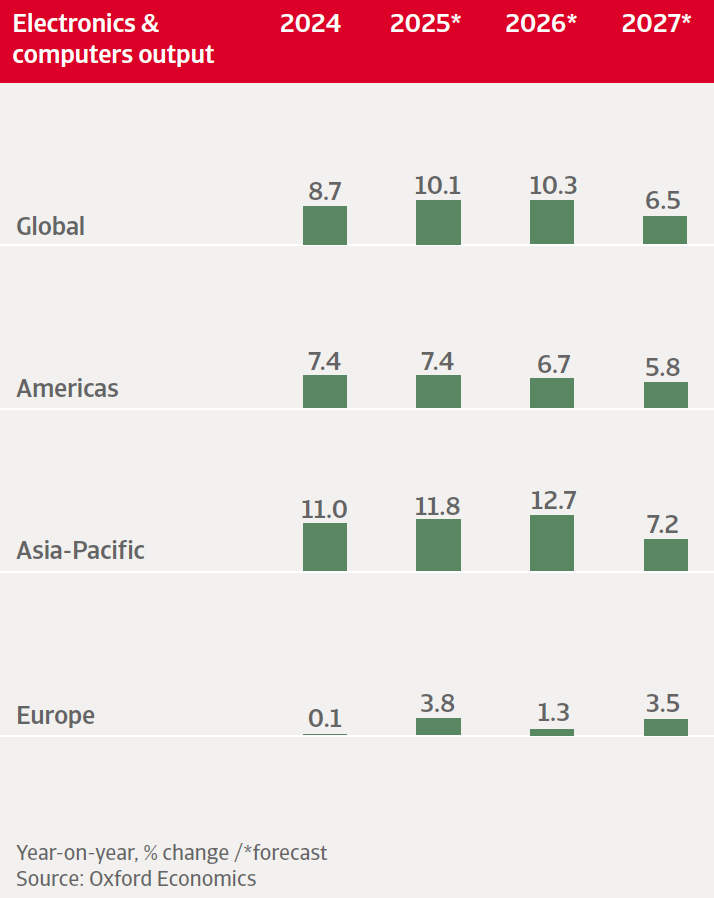

The 10 Best Laptops At CES 2026 PCWorld Lenovo ThinkPad X1 Carbon Aura Edition At CES 2026 . Top 10 Best Desktop Computers 2026 For Home Office And Work Apple IMac M4 2026 All In One Desktop Computer For Creative In Best Desktop. The Best Presidents Day 2026 Gaming PC Laptops And Component Deals . Industry Trends Electronics ICT January 2026 Electronics & Computers Output Trends Worldwide January 2026.2026 01 22 09 24 22 . Lenovo S CES 2026 Concept Laptops A Rollable OLED Gaming Beast And A Lenovo CES 2026 Rollable Laptop Concepts 20260107 103129


Top 10 Best Desktop Computers 2026 For Home Office And Work HP OmniStudio X Pro 2026 All In One Desktop Computer With Large Display Ranked Among Best. PC Parts To AVOID Buying 2026 YouTube . Awesome All In Ones Potent Components The Top Desktops And PC Parts 25 . Awesome All In Ones Potent Components The Top Desktops And PC Parts 23 . The Best PC Hardware And Software Of 2025 2026 PCWorld PCW Awards 2025 2026 2 1

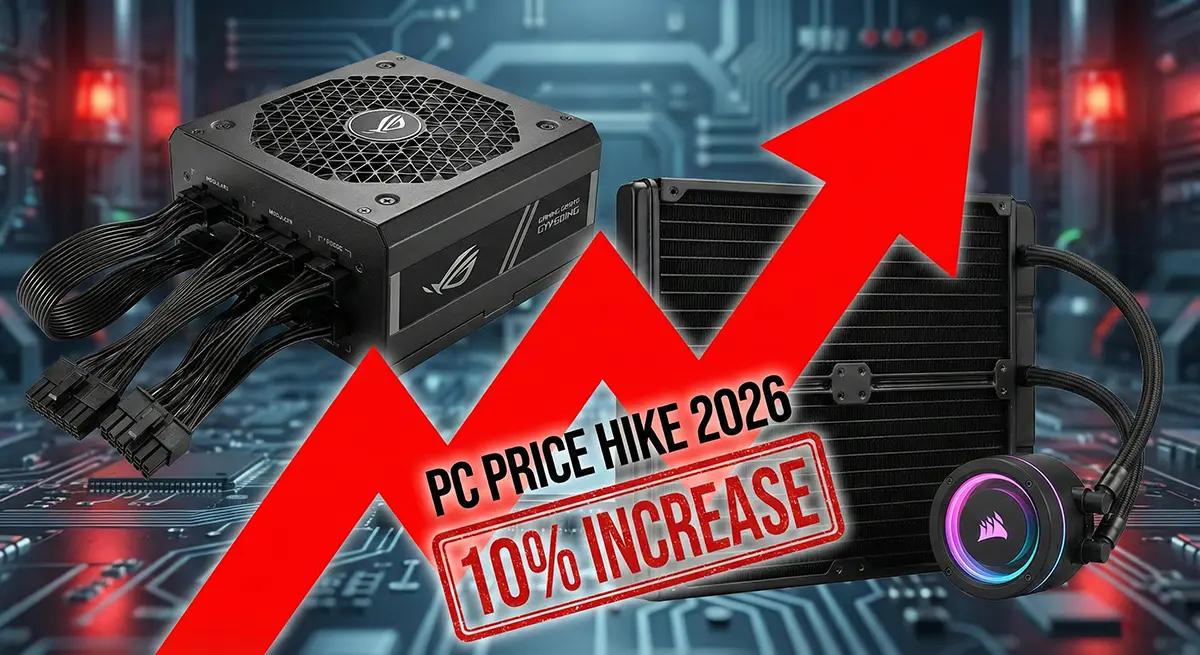

Technology Of The Future A Computer Chip Illuminates The Year 2026 On A Technology Future Computer Chip Illuminates Year Circuit Board Generated Ai 345878049 . 12 Best All In One Desktop Computers In 2026 Tested Reviewed Slide13 . The 10 Best AMD Ryzen CPUs For Gaming In 2026 Reviewed Ranked Slide4 1024x576 . PC Price Hike 2026 Power Supply Cooler Apocalypse Critical Warning Pc Price Hike 2026 Pakistan. PC Cases Wow Worthy Builds Only The 12 Top Pc Cases We Saw At Ces 202 Fxzy.500